

How to vet a PBN Site Using DA/PA and Spam Score
Someone offers you a link from a site with DA 42, PA 30, and a spam score of 4%. On paper, those numbers look solid. But numbers alone don’t tell you whether you’re looking at a genuine editorial site or a well-disguised private blog network — and the difference matters.
Links from PBN sites carry real penalty risk. Google’s SpamBrain system has gotten significantly better at detecting network patterns, and a 2024 Google Webspam Report confirmed that over 40% of manual penalties were link-spam related. Evaluating a site properly means going beyond headline DA figures and understanding exactly what each metric signals — and where each one fails to catch a PBN.
This guide walks through how DA, PA, and Spam Score each contribute to site evaluation, what PBN-specific red flags look like in each metric, and the additional checks that complete the picture.
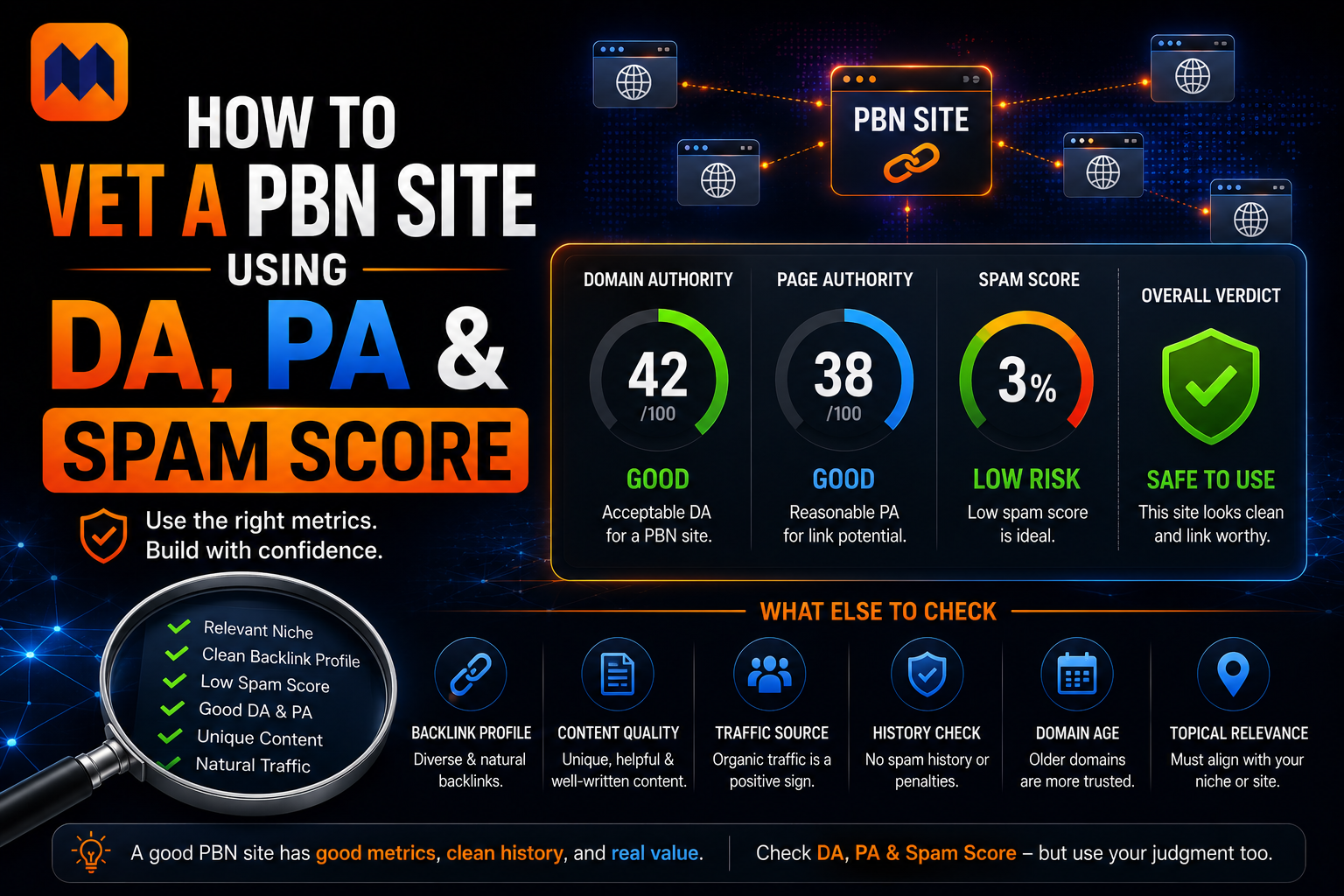
What DA, PA, and Spam Score Are Actually Measuring
Before using these metrics to evaluate any site, you need to understand what each one detects — and, critically, what each one misses.
Domain Authority (DA) is Moz’s score, from 1 to 100, measuring the strength of a site’s backlink profile: the number of referring domains, their quality, and the link equity flowing into the root domain. A high DA tells you a site has accumulated links. It doesn’t tell you those links are natural or that the site serves real readers.
Page Authority (PA) applies the same calculation to a single URL. When a link from a site is under consideration, the PA of the specific page where your link will appear matters far more than the domain’s overall DA. A site with DA 40 might have a linking page with PA 15 — the domain looks strong, but the actual page passing link equity is weak.
Spam Score is Moz’s risk metric, expressed as a percentage from 0–100. It compares a domain against 27 features commonly found on sites that have been penalized or deindexed by Google. The scale:
- 0–30% — Low risk
- 31–60% — Medium risk, warrants closer inspection
- 61–100% — High risk, significant warning signal
Critically, Spam Score measures risk similarity — not confirmed spam. A site can have a high Spam Score and be legitimate, or a low Spam Score and still be a PBN. It’s one signal in a multi-signal evaluation, not a verdict.
The Inflated DA Problem — Why High Numbers Can Mislead
The most dangerous mistake in PBN evaluation is treating a high DA as a quality signal. PBNs are specifically engineered to display high DA scores, and understanding how they do this exposes the metric’s limits.
Most PBN sites are built on expired domains — domains that previously belonged to real businesses, news outlets, or blogs, and accumulated genuine backlinks before expiring. When a PBN operator purchases an expired domain and rebuilds it, the Moz algorithm continues counting those historical backlinks, producing a DA score that reflects a site that no longer exists in its original form.
The domain might show DA 45 because a regional newspaper once linked to it in 2019. The current site has 12 thin articles, no real audience, and exists entirely to sell links. The DA is technically accurate — it reflects the backlink history — but the site’s current value as an editorial source is close to zero.
How to detect inflated DA:
Pull the site’s backlink profile in Ahrefs or Moz Link Explorer. Sort referring domains by date acquired. A legitimate site builds links gradually over time. A PBN built on an expired domain shows a cluster of old backlinks from the original site’s life, followed by a gap, followed by very few new links since the domain changed hands. That gap in link acquisition history is a direct signal that the domain was rebuilt.
Also check link relevance. If a cooking blog has 70% of its backlinks from automotive or finance sites, those links are leftovers from the previous domain’s niche — not links this current site earned naturally.
Reading Spam Score in a PBN Context
Spam Score catches something different from DA. Where DA measures accumulated link strength, Spam Score looks at site-level signals that correlate with penalized domains: thin content, minimal organic traffic, lack of proper contact information, exact-match domain names, and excessive outbound links to commercial targets.
A newly built PBN site on a clean expired domain may actually have a low Spam Score initially — the 27 Moz signals are designed around common spam patterns, and a well-built PBN deliberately avoids most of them. This is why a low Spam Score doesn’t clear a site.
A rising Spam Score is more informative than a static one. If a site’s Spam Score has climbed from 5% to 35% in the past 12 months, that pattern correlates with growing thin content, increasing outbound link density to commercial targets, or link profile degradation as the original domain’s referring links age and disappear.
For practical evaluation, use Spam Score as a floor, not a ceiling. Sites above 60% should be treated as high risk regardless of other signals. Sites below 30% still need to be vetted on the other dimensions below. The absence of high Spam Score is not clearance — it’s simply the absence of one specific warning.
PA on the Linking Page — The Number Most People Skip
When evaluating a link opportunity, almost everyone checks domain DA and moves on. The PA of the actual page where your link appears is the number that determines how much authority that link actually passes — and it’s frequently ignored.
On a PBN site with DA 40, the inner pages where guest post links get placed might have PA of 8–14. This happens because those inner pages have almost no internal links pointing to them, no external sites linking to them specifically, and no real traffic. The domain-level DA doesn’t flow to individual pages unless those pages have their own link equity.
What to check:
Run the specific post URL — not the homepage — through Moz’s Link Explorer or a PA checker. For a link to be worth acquiring, the placing page should have a PA that reflects real content performance: other pages linking to it internally, some external referring domains, and a link profile that looks like a real article rather than a thin content placeholder.
A PA below 10 on a site with DA 40 is a significant inconsistency. On an editorial site with real content, popular articles accumulate at least some page-level authority. Pages that exist purely to host outbound links don’t.
Traffic: The Signal DA, PA and Spam Score All Miss
Moz metrics are backlink-based. None of them measure whether a site actually has organic traffic — and organic traffic is one of the clearest real-world signals separating editorial sites from link farms.
A legitimate website, even a modest one, receives search traffic from Google. It has indexed pages ranking for something. PBN sites are often built with just enough content to look real but deliberately avoid competing for traffic — because traffic would require consistent content investment and create maintenance overhead.
How to check traffic:
- Use Ahrefs Site Explorer or SimilarWeb to pull organic traffic estimates. A DA 40 site with zero or near-zero organic traffic is a critical red flag.
- Search the site’s brand name in Google. Does it appear in search results? Does the homepage rank? A real site ranks for its own name.
- Check the Wayback Machine (web.archive.org) and look at the site’s content history. A real site shows a content evolution over years. A PBN on an expired domain shows either no archive, a completely different previous site, or a thin rebuild after a gap period.
Traffic verification catches what DA cannot. Some SEO professionals treat zero organic traffic as an automatic disqualifier regardless of DA, PA, or Spam Score figures.
Content Quality Signals That Confirm Suspicion
Metric analysis builds a suspicion profile. Content inspection confirms it.
PBN content has recognizable patterns even when it’s not obviously spun or low-quality. Visit the site and evaluate:
Niche consistency. Does the content focus on one coherent topic, or does it drift across wildly different subjects? A site covering home improvement, cryptocurrency, online gambling, and medical devices has almost certainly been repurposed from an expired domain to serve multiple link buyers across different niches.
Outbound link pattern. Open 3–4 random articles and check where the external links point. A real editorial site links to cited sources, references, and relevant resources. A PBN links almost exclusively to commercial targets — the exact sites buying links from it. If every article has 2–3 links to mortgage companies, insurance comparison sites, or online casinos regardless of the article’s subject, the linking pattern is commercial rather than editorial.
Author credibility. PBN sites frequently use either no author attribution or generic names with no social presence, no other publications, and no verifiable identity. Real editorial sites have named authors whose work appears elsewhere on the web.
Engagement signals. No comments, no social shares, no real on-site behavior. Tools like SimilarWeb’s engagement metrics — bounce rate, pages per visit, average session duration — can reveal whether real users are actually reading the content.
The Full Vetting Checklist
Use this in sequence when evaluating any site for link quality. The first metric to fail should prompt closer scrutiny of everything that follows.
Step 1 — Pull domain-level metrics: Check DA using Moz Link Explorer or a DA PA checker tool. Flag anything under DA 20 for low authority. Flag anything with DA 40+ that has suspicious link history patterns (see Step 3).
Step 2 — Check page-level PA: Run the specific placement URL, not the homepage. Target PA 20+ for the actual linking page. Below PA 10 on a mid-DA site is a structural inconsistency worth investigating.
Step 3 — Read the backlink history: In Ahrefs, sort referring domains by date acquired. Look for the expired-domain pattern: heavy historical links, a gap period, and thin recent acquisition. Check link niche relevance against the current site’s topic.
Step 4 — Check Spam Score: Flag anything above 60% for high risk. For anything 31–60%, investigate the remaining steps before deciding. Below 30% — proceed but don’t treat as cleared.
Step 5 — Verify organic traffic: Pull Ahrefs or SimilarWeb traffic estimates. A genuine editorial site of DA 30+ should show some organic search visibility. Zero or sub-100 monthly visits against a mid-DA score is a direct red flag.
Step 6 — Run the Wayback Machine check: Verify content history. Look for domain repurposing after expiration. Check whether the site’s current niche matches its archived history.
Step 7 — Inspect content manually: Read 3–4 articles. Evaluate niche consistency, outbound link patterns, author attribution, and engagement signals. This step takes five minutes and catches what every metric misses.
Any site that fails two or more of these steps is a high-risk link source regardless of its DA headline number.
Conclusion on How to vet a PBN Site
DA, PA, and Spam Score are useful filters — but they’re filters, not verdicts. A site can pass all three headline numbers and still be a pure link farm built on an expired domain with no real audience. The full picture comes from combining metric analysis with traffic verification, backlink history review, and content inspection.
When you vet a PBN site using DA PA and spam score properly — meaning all five checks, not just the three headline numbers — you stop treating metrics as conclusions and start using them as starting points. That shift in how you use the data is what separates thorough link evaluation from wishful thinking.
Frequently Asked Questions
Does a high DA score mean a site is safe to build links on?
No. High DA reflects a strong historical backlink profile — which PBN operators specifically engineer by building on expired domains with existing link equity. A DA 40–50 site built on a repurposed expired domain can have a high DA while having zero organic traffic, thin content, and a clear network pattern. DA is one signal in a multi-signal evaluation, not a quality guarantee.
What Spam Score is too high to accept a link from?
Moz’s own guidance treats 61–100% as high risk. In practice, many SEO professionals use 30% as a working cutoff for link prospecting — anything above that threshold gets more scrutiny, and anything above 60% is generally excluded regardless of DA. That said, Spam Score is a risk indicator, not a confirmed verdict. A site with 40% Spam Score and strong organic traffic, consistent content, and clean link history may still be acceptable. Context matters.
Should I check the domain DA or the page PA for link evaluation?
Both — but for different purposes. DA tells you about the site’s overall trust and backlink strength. PA on the specific linking page tells you how much authority that particular link will actually pass. A DA 45 site where your link appears on a PA 9 inner page with no traffic is structurally weak regardless of the domain-level score. Always check both and weight PA heavily for the actual link value assessment.
How do I tell if a site's backlinks are natural or built for PBN purposes?
Look at three dimensions: timing (links build gradually for real sites, PBNs show historical clusters with gaps), relevance (real sites attract links from related niches, PBNs inherit links from the original domain’s unrelated content), and link type (editorial mentions and citations vs obvious commercial placements). Ahrefs’ backlink profile sorted by date acquired makes the pattern visible in a few minutes.
Can Google detect PBN links automatically?
Yes, with increasing accuracy. Google’s SpamBrain system uses machine learning to identify link network patterns — shared hosting footprints, link velocity anomalies, cross-site content patterns, and outbound link clustering. Google’s own data shows link spam enforcement actions increasing year over year. Sites identified as PBN participants can receive manual penalties affecting both the PBN site and the money sites it links to.

Writes about SEO, link building and domain authority.