
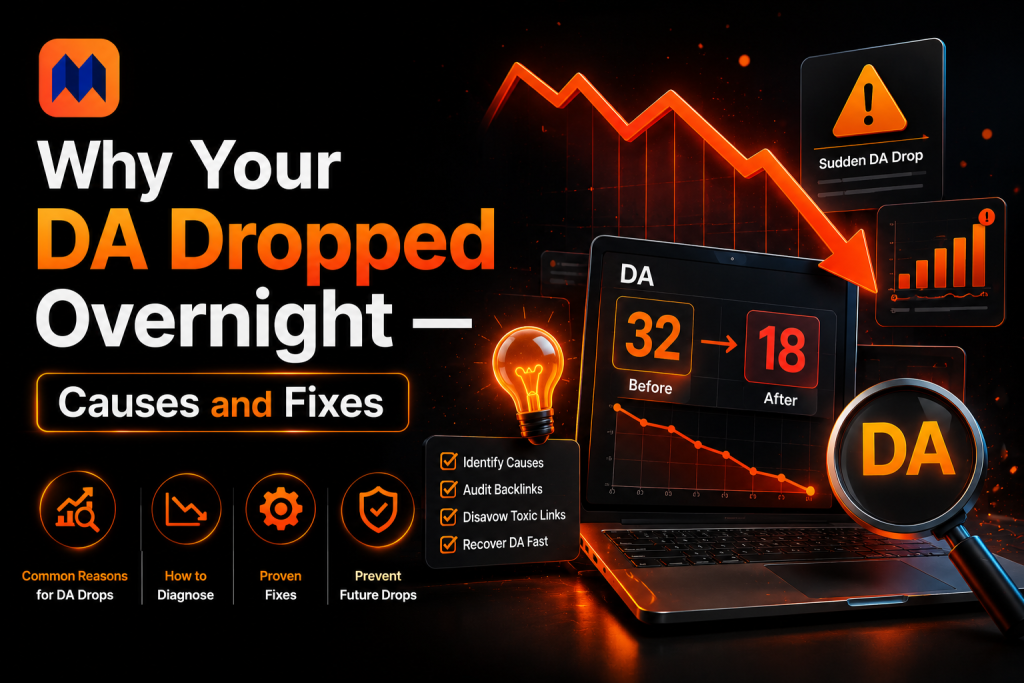
You check your DA this morning. Yesterday it was 38. Now it’s 29. Nothing changed on your end — no new links, no content removal, nothing.
Watching a number you’ve spent months building just vanish is genuinely unsettling. Most people either panic and make bad decisions, or ignore it and miss a real problem.
This guide covers every cause behind a sudden DA drop, how to tell which one hit you, and the exact fix for each — starting with the ones that need no action at all. You can Check Da/pa Score by using Our tool
Before You Do Anything — Check This First
Not every DA drop means something is broken. The single most common cause of a sudden DA drop is a Moz algorithm or index update — and it requires zero action from you.
Moz updates its link index roughly once a month. During these updates, it also periodically adjusts its scoring algorithm. When either happens, DA scores across thousands of sites shift simultaneously.
How to tell if this is what happened: Check the DA scores of 3–5 competitors in your niche. If they also dropped, especially by similar amounts, you’re looking at a Moz update, not a site-specific problem. Your relative position didn’t change — only the absolute number.
Check the Moz community forum and Moz blog. When a major index update happens, other SEOs report the same pattern within hours. If you see a thread with dozens of people describing identical drops on the same date, you have your answer.
No action needed. Wait for the next monthly cycle. DA will stabilize once Moz finishes recalculating. Chasing a Moz update with frantic link building or technical changes creates noise without fixing anything.
Lost Backlinks — The Most Common Real Cause
If competitor DAs held steady while yours dropped, you’ve almost certainly lost backlinks. This is the most common non-Moz cause of a sudden DA drop, and it’s fully fixable.
Backlinks disappear for several reasons:
- The linking site deleted or rewrote the page that contained your link
- The site went offline or changed domains without redirecting
- The site owner manually removed the link
- The link moved from dofollow to nofollow, removing its authority value
- The linking page was penalized, causing Moz to devalue it in the index
How to find lost backlinks: Open Moz Link Explorer, Ahrefs, or Semrush and filter for lost links in the last 30 days. Sort by DA of the linking domain from highest to lowest. The lost links at the top of that list caused the most damage.
Reclaiming Lost Backlinks
Before giving up on a lost link, check whether the page still exists. If it does but your link was removed, email the site owner. Be direct — explain you noticed the link was removed and ask whether there’s a reason or whether they’d consider reinstating it.
If the linking page is gone entirely, check whether the site has a similar live page where you could pitch a replacement link. Sometimes the page was restructured and a new outreach email gets you back in.
Links you can’t reclaim should be replaced with new links from similar-authority domains. DA responds to referring domain count as much as link quality. Losing 5 links from 5 different domains hurts more than losing 5 links from the same domain.
Your Competitors Built More Links Than You
DA is a relative metric. Your score doesn’t exist in isolation — it’s calculated in comparison to every other domain in Moz’s index. If your competitors dramatically increased their backlink profiles while yours stayed flat, your DA can drop without you losing a single link.
This is the slowest-moving cause and the hardest to immediately reverse, but it’s also the most diagnostic. A competitor who jumped from DA 35 to DA 50 in three months either made a major content play, landed a high-profile PR piece, or ran an aggressive guest posting campaign.
How to diagnose this: Check your top 3–5 competitors in Moz Link Explorer. Look at their backlink growth over the last 60–90 days. If their referring domain count grew significantly while yours didn’t, relative comparison is the culprit.
The fix is straightforward in theory but takes time: study where their new links came from, identify which sites you could also get a link from, and build an outreach list around those sources. Link gap analysis — finding sites that link to competitors but not to you — gives you the most targeted prospecting list available.
Toxic Backlinks Dragging Your Spam Score Up
When Moz detects a spike in toxic backlinks pointing at your domain, two things happen: your Spam Score rises and your DA drops. Moz’s algorithm treats a high Spam Score as a negative signal, and the drop in DA reflects that.
Toxic backlinks come from several places:
- Negative SEO attacks — a competitor pointing spam links at your domain
- Past link buying that Moz’s algorithm now flags as manipulative
- Links from penalized sites that were previously clean
- Bulk anchor-text manipulation — too many identical keyword-rich anchors
Check your Spam Score first. Run your domain through a DA PA checker and look at the Spam Score percentage. If it rose alongside the DA drop, toxic backlinks are almost certainly involved.
How to Handle Toxic Backlinks
Export all your backlinks from Moz Link Explorer. Sort by Spam Score of the linking domain. Anything above 60% Spam Score is a disavowal candidate. Anything between 40–60% deserves a manual look before you decide.
For links you can remove: email the site owner with a polite removal request. Keep it brief. Most won’t respond, which is why the disavowal file exists.
For links you can’t remove: create a disavowal file in Google Search Console’s disavow tool. This signals to Google (and indirectly affects Moz’s signal reading) that you don’t endorse these links.
One caution: Don’t mass-disavow without reviewing each domain. Disavowing legitimate links by mistake removes real DA. Surgical disavowal beats bulk disavowal every time.
Technical Problems Affecting Crawlability
Moz crawls your site to understand its structure, find internal links, and follow external backlinks. When technical issues block or confuse that crawl, DA can drop as Moz loses visibility into parts of your link profile.
The most common technical causes of a DA drop:
- Site downtime — if Moz tried to crawl during extended downtime, it may have dropped links from the index
- Broken redirects — 301s that chain too many hops or 302s instead of 301s bleed link equity
- Robots.txt blocking Moz — if your robots.txt inadvertently blocked Moz’s crawler (user-agent: rogerbot), it can’t index your backlinks
- Mass 404 errors — pages receiving backlinks that no longer exist transfer no equity
- HTTPS migration errors — moving to HTTPS without proper redirects splits your link profile between HTTP and HTTPS versions
How to check: Run a crawl in Google Search Console and look at coverage errors. Check your robots.txt for anything blocking rogerbot. Use Moz’s Link Explorer to see whether total link count dropped alongside DA — if both fell together, a technical crawl issue is likely.
Fix the technical issue first, then check whether DA recovers in the next Moz update cycle. Don’t start new link building until crawlability is confirmed clean — new links on a broken site don’t help DA recover.
Quick Diagnosis Table — Cause, Speed, and Fix
Use this table to match your situation to the right response. Most DA drops have a clear fingerprint once you know what to look for:
| Cause | Speed of Drop | Urgency | Fix |
| Moz algorithm/index update | Fast — 24–48 hrs | No action | Check competitors. If they dropped too, wait for next cycle. |
| Lost backlinks | Days to weeks | Immediate action | Audit, reach out to reclaim, or replace with new links. |
| Competitors gained links faster | Gradual (monthly) | Medium‑term | Study competitor link sources. Replicate their wins. |
| Toxic backlinks detected | Sudden | Immediate action | Run Spam Score check. Disavow confirmed toxic links. |
| Referring domains dropped | After link removal | Medium‑term | Rebuild diversity. Focus on new unique domains, not repeat links. |
| Site downtime or crawl errors | Can be sudden | Immediate action | Check Moz crawl and Google Search Console. Fix 404s and redirects. |
| Manual penalty (Google) | Gradual / sudden | Immediate action | Investigate Search Console. File reconsideration request if warranted. |
| New domain / first Moz crawl | One‑time event | No action needed | New domains start at DA 1. Build links consistently from day one. |
The “Speed of Drop” column tells you something important: sudden drops that hit all competitors simultaneously point to Moz updates. Drops isolated to your domain that happen gradually point to lost links or competitor link gains. Drops that correlate with a specific date event — a site going down, a link removal, a Google action — point to those specific causes.
DA Recovery — What to Do and When
Once you’ve diagnosed the cause, recovery follows a predictable sequence. DA doesn’t recover overnight — it updates monthly and responds to backlink changes with a lag. Here’s the week-by-week plan:
| Timeline | Action | Target Outcome |
| Week 1 | Diagnose the cause. Export backlinks. Run Spam Score on all linking domains. | Identify 3–5 specific causes from the list above. |
| Week 2 | Disavow or outreach for link removal on confirmed toxic or lost links. | File disavow file if toxic links confirmed. Send reclamation emails. |
| Week 3 | Launch new link building. Target 5–10 new unique referring domains. | Guest posts, digital PR, resource link building. |
| Month 2 | Monitor Moz for next cycle update. Check competitor DA changes. | Check whether DA is recovering relative to competitors. |
| Month 3 | Review referring domain diversity. Maintain link earning pace. | Target 5+ new unique domains per month minimum. |
The biggest mistake during DA recovery is checking the score daily. Moz updates monthly. Daily checks produce anxiety, not data. Set a calendar reminder for one month after your first corrective action and check then. If you’ve addressed the root cause, you’ll see movement within 1–2 cycles.
Recovery speed depends on the cause. A Moz update drop often resolves itself in the next cycle with no action. A lost backlinks drop recovers after you rebuild the missing referring domains. A toxic link drop takes longer because disavowal is processed on Google’s schedule, not Moz’s.
How to Stop DA Drops Before They Happen
Most DA drops are preventable with a basic monthly monitoring routine. Here’s what that routine looks like:
Monthly Backlink Audit
Once a month, run your domain through a DA PA checker and export your full backlink list. Check Spam Score, referring domain count, and total quality (dofollow) backlinks. Compare against last month. Any drop in referring domains or spike in Spam Score is an early warning to investigate before it hits DA.
Monitor Competitor DA Simultaneously
Check your top 3 competitors’ DA scores in the same session. If you’re growing and they’re not, your strategy is working. If they’re pulling ahead, study their new links before the gap widens further. A monthly competitor snapshot takes 10 minutes and prevents the “why did my DA drop” panic.
Diversify Your Referring Domain Pool
A DA built on links from 5 domains is fragile. Lose one link and DA moves noticeably. A DA built on links from 80 unique domains is resilient. Single link losses don’t dent it. The goal isn’t more total links — it’s more unique domains linking to you. Set a monthly target for new unique referring domains, even if modest.
Keep Technical SEO Clean
Run a monthly crawl check in Google Search Console or Screaming Frog. Catch 404 errors before they accumulate. Verify all major redirects are 301s, not 302s. If you migrate domains or shift to HTTPS, do it properly with a full redirect map in place before the migration goes live. Technical cleanness doesn’t boost DA directly, but technical problems can pull it down fast.
Conclusion on Why Your DA Dropped Overnight
A DA drop overnight is alarming, but it’s usually one of a small number of causes — most of which have clear fixes. Start with the least dramatic explanation: check whether competitors also dropped. If they did, it’s a Moz update and you’re done.
If it’s specific to your domain, audit your backlinks before doing anything else. Lost links and toxic links account for the majority of site-specific drops. Fix the root cause before launching new link building — building on top of an unresolved problem slows recovery.
The real protection against DA drops isn’t reacting faster. It’s building a diverse enough referring domain base that any individual event — a lost link, a Moz recalibration, a competitor win — doesn’t move the score much. Breadth is resilience.
Frequently Asked Questions
Can DA drop even if I haven’t done anything wrong?
Yes, and it’s common. Moz’s monthly index updates regularly cause DA shifts across large numbers of sites simultaneously. When Moz recalibrates its algorithm or refreshes its link data, scores move without any action on your part. If your competitors show similar drops at the same time, a Moz update is almost certainly the cause and needs no intervention.
How quickly can DA recover after a drop?
Recovery speed depends on the cause. If a Moz update triggered the drop, it often corrects in the next monthly cycle. If you lost backlinks, expect 4–8 weeks to recover after you rebuild the missing referring domains. Toxic backlink drops take longer — disavowal affects Google’s index first, and Moz’s scoring reflects those changes with an additional lag.
Does a DA drop affect my Google rankings?
Not directly. Google doesn’t use DA as a ranking signal. However, the same factors that cause DA to drop — lost backlinks, toxic links, crawl errors — often do affect Google rankings independently. A DA drop is a useful early warning that something in your backlink profile or site health has changed, even if DA itself doesn’t influence Google.
Should I use the disavow tool every time my DA drops?
No. The disavow tool is for confirmed toxic links only. Using it broadly removes legitimate links alongside bad ones, which can make the situation worse. Run a Spam Score check first. Manually review any domain above 40% Spam Score before adding it to the disavow file. Disavowal is a precision tool, not a panic button.
Why did my DA drop but my rankings stayed the same?
DA and Google rankings are separate systems. A DA drop driven by a Moz algorithm update or index recalibration has no effect on your Google positions since Google doesn’t use DA. If rankings held steady, the underlying link quality and content that Google cares about didn’t change — only Moz’s scoring of it did. This is the most reassuring scenario.
How often does Moz update DA scores?
Moz updates its link index approximately once a month, though it doesn’t publish a fixed schedule. DA scores change with each index refresh. Major algorithm adjustments happen less frequently but cause larger score shifts when they do. Checking DA daily between Moz updates gives you the same number repeatedly — monthly checks match the actual update cadence.
What is a normal amount of DA fluctuation to expect?
For most sites, a 1–3 point fluctuation between Moz cycles is normal and not worth investigating. A drop of 5–10+ points warrants a look — check whether competitors dropped similarly, then check for lost backlinks if they didn’t. A drop of 15+ points in one cycle almost always reflects a real backlink profile change, a Moz algorithm adjustment, or a technical issue worth addressing.

Writes about SEO, link building and domain authority.